Introduction
In the rapidly evolving landscape of Frontend Development, the quest for modularity, performance, and security is never-ending. For years, developers relied on heavy JavaScript frameworks or messy string concatenation to render dynamic content in the browser. However, the introduction and maturation of the HTML5 Features suite brought us a native solution that fundamentally changed how we approach Web Design and DOM manipulation: the <template> element.
HTML Templates represent a paradigm shift in how we structure web applications. Much like a blueprint in architecture, they provide a standard mechanism for declaring fragments of HTML that can be cloned and inserted in the document by script. They are inert by default—meaning script tags within them do not run, images do not load, and media does not play until the template is actually instantiated. This behavior offers significant performance gains and, more importantly, a robust layer of security.
One of the most compelling analogies for modern HTML templating is that of “prepared statements” in database management. Just as prepared statements separate SQL code from data to prevent injection attacks, HTML templates allow developers to define the HTML Structure separately from the user data that populates it. This separation of concerns is critical for preventing Cross-Site Scripting (XSS) and ensuring Web Standards are met. In this comprehensive guide, we will explore the depths of HTML templates, from basic usage to advanced Web Component integration, ensuring you have the knowledge to build scalable, secure, and high-performance interfaces.
Section 1: The Anatomy of HTML Templates
Understanding the Core Mechanism
At its heart, the <template> tag is a mechanism for holding client-side content that is not to be rendered when a page is loaded but may subsequently be instantiated during runtime. Unlike other HTML Elements that might be hidden using CSS Styling (like display: none), the content of a template is completely parsed but resides in a lightweight DocumentFragment. This distinction is crucial for Frontend Web performance.
When the browser encounters a template tag, it validates the syntax to ensure it adheres to W3C Standards, but it stops short of executing any logic. This means that if you have a massive list of items containing heavy assets or third-party scripts, they won’t bog down the initial page load. They only become “live” when you explicitly clone the template content and append it to the main DOM.
The DocumentFragment Advantage
To truly master HTML Templates, one must understand the DocumentFragment. When you access the .content property of a template element, you are interacting with a fragment. This is a minimal document object that has no parent. The magic happens when you manipulate this fragment. Because it is not part of the active document tree, changes made to the fragment do not trigger reflows or repaints—expensive operations in the browser rendering lifecycle.
This allows developers to perform complex DOM manipulation—such as populating HTML Forms, building intricate HTML Tables, or constructing CSS Grid layouts—off-screen. Once the structure is ready, it is injected into the live DOM in a single operation, ensuring a smooth 60fps experience, which is vital for UX Design.
Basic Implementation Example
Consider a scenario where we need to render a list of user profile cards. A typical HTML Tutorial might show you how to do this with string literals, but here is the standard-compliant approach:
<template id="profile-card">
  <div class="card">
    <h3 class="name"></h3>
    <p class="email"></p>
    <button class="contact-btn">Contact</button>
  </div>
</template>
In this snippet, we utilize Semantic HTML to define the structure. We can then use JavaScript to clone this node, populate the data, and append it. This method ensures that we are not breaking the parser and that we are adhering to HTML Best Practices.
Section 2: Security, Data Binding, and the “Prepared Statement” Analogy
The Security Imperative
Security is often an afterthought in UI Design, but in the era of dynamic web applications, it must be a priority. The “prepared statement” analogy mentioned in the introduction is profound. In database security, prepared statements ensure that user input is treated strictly as data, never as executable code. HTML Templates offer a similar guarantee for the frontend.
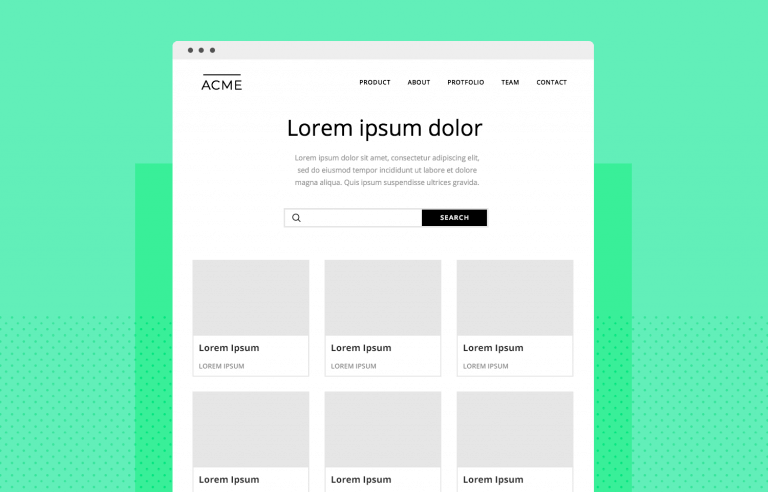
When developers use innerHTML to inject content, they are essentially concatenating strings and asking the browser to re-parse them as HTML. If a user manages to inject a <script> tag into that string, the browser will execute it. This is the classic XSS vector. However, when using templates, you are manipulating DOM nodes directly.
Safe DOM Manipulation
By cloning a template and using properties like textContent to insert data, you effectively sanitize the input. The browser knows that textContent is meant to be text, not markup. Therefore, even if the data contains <script>alert('hacked')</script>, the browser will render those characters literally rather than executing the script. This makes HTML Templates an essential tool for secure Web Development.
Advanced Data Injection
While simple text replacement is straightforward, modern applications often require complex data binding. You might need to dynamically update HTML Attributes—for example, setting the src of an image or the aria-label for Accessibility.
When building accessible interfaces, ARIA Labels and roles are critical. Templates allow you to set up the correct accessibility tree structure in advance. When instantiating the template, you can dynamically update aria-expanded or aria-describedby attributes based on the specific context of the data. This ensures that your dynamic content remains compliant with Web Accessibility guidelines, providing a seamless experience for screen reader users.
Comparison with JavaScript Frameworks
Modern libraries like React or Vue use a Virtual DOM to achieve similar security and performance goals. However, understanding the native implementation is crucial. Many CSS Frameworks and lightweight libraries are moving back toward native browser features to reduce bundle sizes. By leveraging native templates, you can build highly interactive Landing Pages or dashboards without the overhead of a massive JavaScript runtime.
Section 3: Styling, Encapsulation, and Modern CSS Integration
The Shadow DOM Connection
HTML Templates are rarely discussed without mentioning their partner in crime: the Shadow DOM. When you combine templates with Shadow DOM, you unlock true encapsulation. This solves one of the biggest headaches in CSS Tutorial history: style leakage.
By attaching a Shadow DOM tree to an element and populating it with a template, you create a scoped environment. CSS Selectors defined inside this template will not affect the rest of the page, and global styles will not bleed in (unless explicitly allowed). This is the foundation of modern Web Components.
Leveraging Modern CSS Features
Within these templates, you can utilize the full power of CSS3 Features. CSS Flexbox and CSS Grid are particularly useful for defining the internal layout of a component. Because the layout is encapsulated, you can use generic class names like .container or .header without worrying about conflicts with other parts of the application.
Furthermore, CSS Variables (Custom Properties) pierce through the Shadow DOM barrier. This allows you to define a theming system at the root level (perhaps using a CSS Preprocessor like SASS or LESS, or even PostCSS) and have those variables cascade down into your isolated templates. This creates a powerful combination of isolation and consistent branding.
Responsive and Mobile-First Design
Templates play a vital role in Responsive Design and Mobile-First Design strategies. You can define different template structures for different viewports and load them conditionally, although a more common approach is to use CSS Media Queries within the template’s style block.
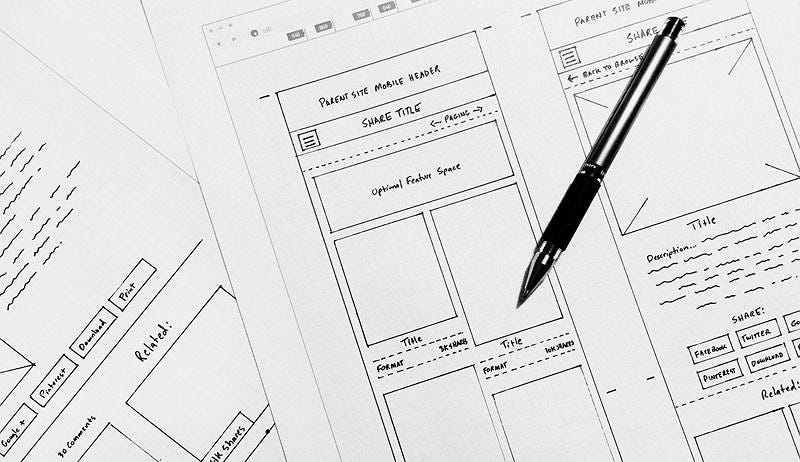
For example, a “card” component defined in a template might use a Flexbox Layout for mobile devices, stacking elements vertically. The same template can switch to a Grid Layout on desktop screens. Because the CSS is bundled with the HTML structure in the template, the component remains self-contained and responsive regardless of where it is dropped into the Page Layout.
Animations and Transitions
CSS Animations and CSS Transitions can also be baked directly into templates. Imagine a notification toast that slides in from the side. You can define the @keyframes inside the template’s <style> tag. When the template is instantiated and appended to the DOM, the animation plays automatically (or upon adding a class). This encapsulates the behavior with the structure, a core tenet of Modern CSS and Modern HTML development.

Section 4: Practical Implications and Ecosystem
Pros and Cons of Native Templates
While HTML Templates are powerful, they are not a silver bullet. It is essential to weigh the pros and cons:
Pros:
- Performance: Parsing is done by the browser natively, which is generally faster than JavaScript-based parsing.
- Security: Encourages safe DOM manipulation over string injection.
- Standardization: Works in all modern browsers without dependencies.
- Interoperability: Can be used alongside Bootstrap, Foundation, Material Design, or Tailwind CSS.
Cons:
- Verbosity: Writing raw DOM manipulation code (
querySelector,textContent) can be verbose compared to JSX or CSS-in-JS syntax. - Data Binding: Native templates do not have built-in reactive data binding. You must manually update the DOM when data changes, unlike in React or Angular.
The Rise of “HTML-First” Libraries
Interestingly, we are seeing a resurgence of libraries that wrap native templates to provide a better developer experience (DX) without the overhead of a Virtual DOM. These libraries treat the template as the source of truth, much like the “prepared statement” concept. They analyze the template string, identify the dynamic parts, and only update those specific nodes when data changes.
HTML Email vs. Web Templates
It is important to distinguish modern web templates from HTML Email templates. Email development is notoriously stuck in the past, relying on nested tables and inline styles due to poor client support. CSS Email coding is a different beast entirely. Do not confuse the <template> tag discussed here with the templates used in email marketing tools. The <template> tag is strictly a browser feature and will likely be stripped out by email clients.
Integration with Build Tools
In a modern workflow, you might use Styled Components or Tailwind CSS to style your templates. Build tools can extract these styles and inject them into the template’s shadow root or the main document head. This allows you to use utility-first CSS while maintaining the semantic structure of your HTML Tags.
Conclusion
The humble <template> tag is one of the most underrated yet powerful features of the HTML5 specification. It bridges the gap between static markup and dynamic applications, offering a standardized way to create reusable, secure, and performant components. By treating templates as “prepared statements” for the DOM, developers can significantly reduce the risk of XSS attacks while improving the maintainability of their codebases.
Whether you are a seasoned engineer working with complex CSS Grid layouts and CSS Animations, or a beginner following an HTML CSS Tutorial, understanding the native platform capabilities is essential. While frameworks come and go, the native web standards remain. Mastering HTML templates allows you to write code that is closer to the metal, more accessible, and ultimately more resilient. As we move towards a future of modular Web Design, the separation of structure (HTML), style (CSS), and behavior (JavaScript) facilitated by templates will continue to be the cornerstone of robust Frontend Development.