
Last Tuesday I was staring at 47 nested ARIA errors on a client’s staging site. It was 11 PM. Normally, this is the part where I pour another coffee, open up the screen reader, and spend three hours trying to figure out why a custom dropdown menu is completely invisible to VoiceOver.
Accessibility debugging has always been a hostile experience. You’re usually digging through a deeply nested accessibility tree in the dev tools, trying to manually map an orphaned aria-describedby attribute to a missing ID. It sucks. Well, that’s not entirely accurate — most developers hate doing it, which is exactly why so much of the web remains completely broken for people who rely on assistive technology.
But my workflow completely changed last month.
Talking to the DOM
If you haven’t updated your browser recently, Chrome 146 shipped with native Model Context Protocol (MCP) server integration. I’m currently running version 146.0.7401.0 on my M3 Mac, and the bundled MCP server v0.19.0 basically turns the dev tools into an agentic debugging assistant.
Instead of manually running Lighthouse audits and cross-referencing vague error codes on Stack Overflow, you can just ask the browser what’s wrong using natural language. And I did just that — I pointed the inspector at my broken dropdown and literally typed: “Why is the screen reader ignoring the close button inside this modal?”
Ten seconds later, it didn’t just tell me the parent div had an accidental aria-hidden="true" applied by a rogue React useEffect hook. It actually highlighted the exact line in my source map and offered a patch to fix the focus trap logic. I applied it, and the component worked perfectly.

Holy shit. It actually works.
The Real-World Benchmark
I wanted to see how much time this actually saves in a realistic scenario, so I ran a head-to-head test on a notoriously inaccessible legacy dashboard we inherited from another agency. It’s a massive React 18.2.0 app with custom data grids that completely ignore keyboard navigation.
Doing this the old way — running standard Lighthouse passes, tabbing through manually, and writing custom Axe tests — usually takes me about four hours just to document the issues. Actually fixing them is another day of work.
But using the natural language MCP interface, I cut my initial audit and triage time down to exactly 14 minutes. I just asked it to “find all interactive elements that trap keyboard focus and suggest the correct tabindex flow.” And it dumped out a perfectly formatted list of the specific components causing the problem.
However, the MCP server has a bad habit of hallucinating ARIA roles if your DOM is too deep. During my test, I noticed that if a component tree goes deeper than 15 levels, the local agent occasionally panics. It started suggesting I add role="presentation" to literally everything, including semantic <nav> elements. If I had blindly accepted its automated fixes, I would have completely wiped out the site’s navigation structure for screen readers.
You still have to know what you’re doing. The tool is fast, but it’s not infallible.
Memory Profiling Gets the Same Treatment
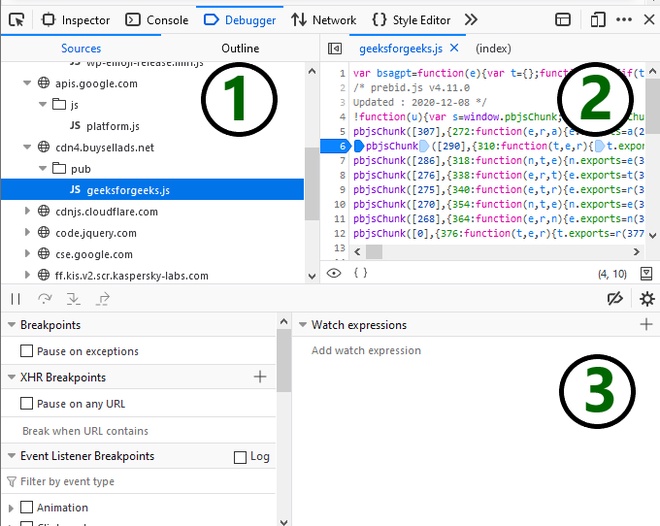
The weirdest part about this update isn’t even the accessibility stuff. It’s how the natural language interface bleeds into performance engineering.
And while I was fixing the ARIA issues, I noticed the page was chugging. Instead of opening the memory tab and recording a heap snapshot to manually hunt for detached DOM nodes, I just asked the prompt: “What is holding onto memory when I close this modal?”

It immediately flagged a detached DOM node. Turns out, an ARIA live region I had created to announce form errors wasn’t being garbage collected because an old event listener was still attached to the window object.
Finding that manually would have taken me at least 45 minutes of staring at retainers in a heap snapshot. The agent found it in six seconds.
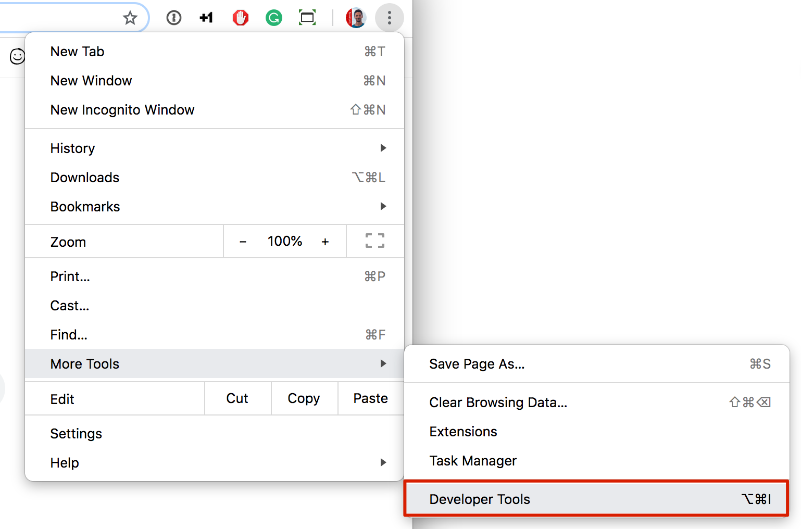
I do have one major complaint, though. The local MCP process is an absolute resource hog. Just sitting idle in the background, it eats about 1.2GB of RAM on my machine. If you’re running Docker, a heavy IDE, and a dozen browser tabs, you’re going to feel the hit. Probably, Google will optimize this by Q1 2027, but right now, I actually toggle the MCP server off when I’m not actively debugging.
No More Excuses
Look, I get why accessibility gets pushed to the bottom of the Jira backlog. The deadlines are tight, the product managers only care about shipping features, and the tooling has historically made it incredibly difficult to test properly unless you’re an accessibility specialist.
But that excuse is dead now.
When you can literally ask your browser why a blind user can’t buy a product on your website, and it gives you the exact line of code to fix it, ignoring accessibility becomes a conscious choice rather than a technical limitation. We finally have the tools to build things right the first time. Go use them.
